SCHOOL ERP · COMPLETE SYSTEM
One Dashboard for the Entire School
Admissions to report cards, fees to bus tracking, staff payroll to parent app. 40+ modules, one login, running in schools today.
Every module, in one login
Run the school
Teach and assess
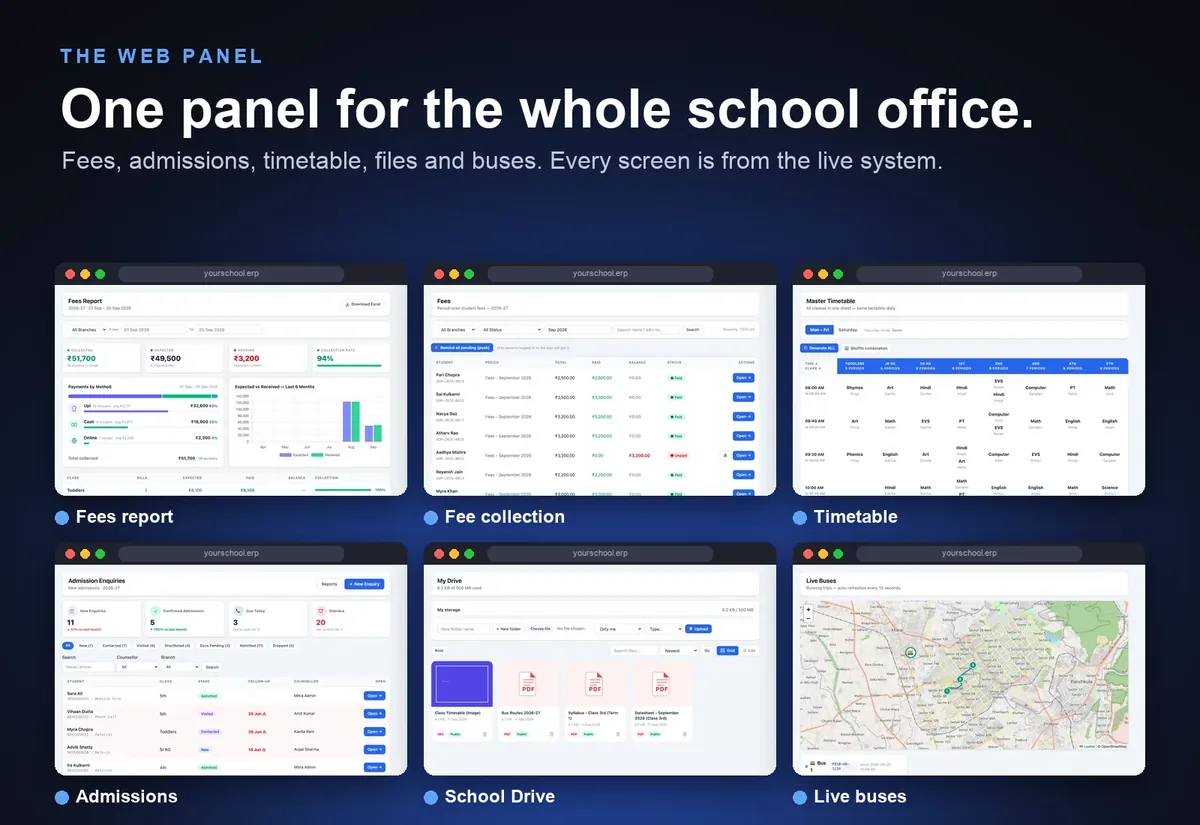
Here is the web panel the school office works in every day: fees, admissions, the timetable, files and buses on one login. All screens are from the demo school, running on the live system.
Connect with parents
Staff, files and control
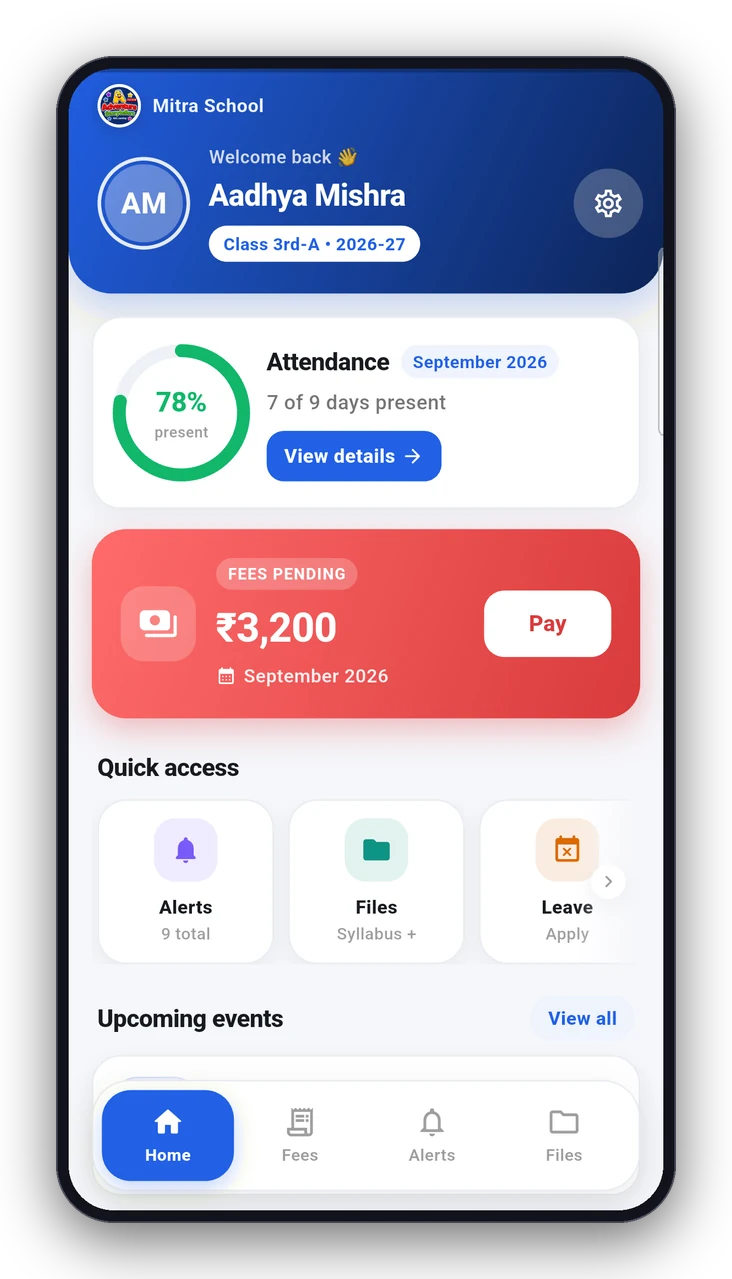
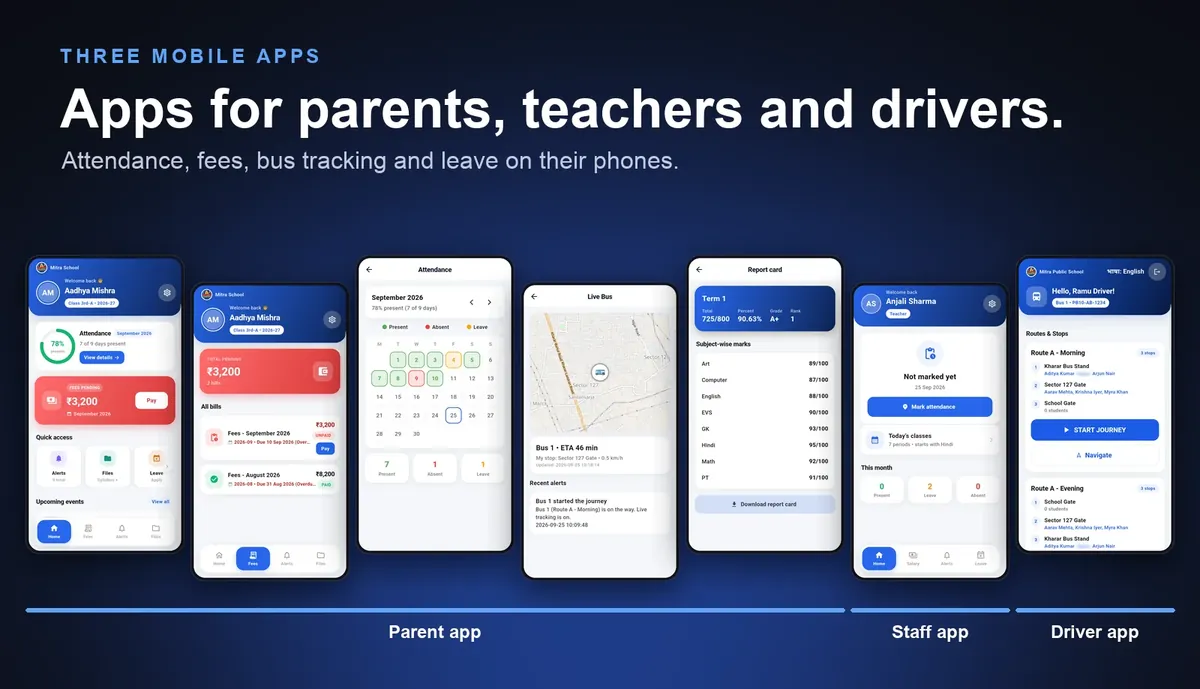
Parents, teachers and drivers each get their own mobile app: parents see attendance, fees and the bus on the map, teachers mark attendance and read notices, and drivers start the trip with one tap.
School Drive: private file storage for every school
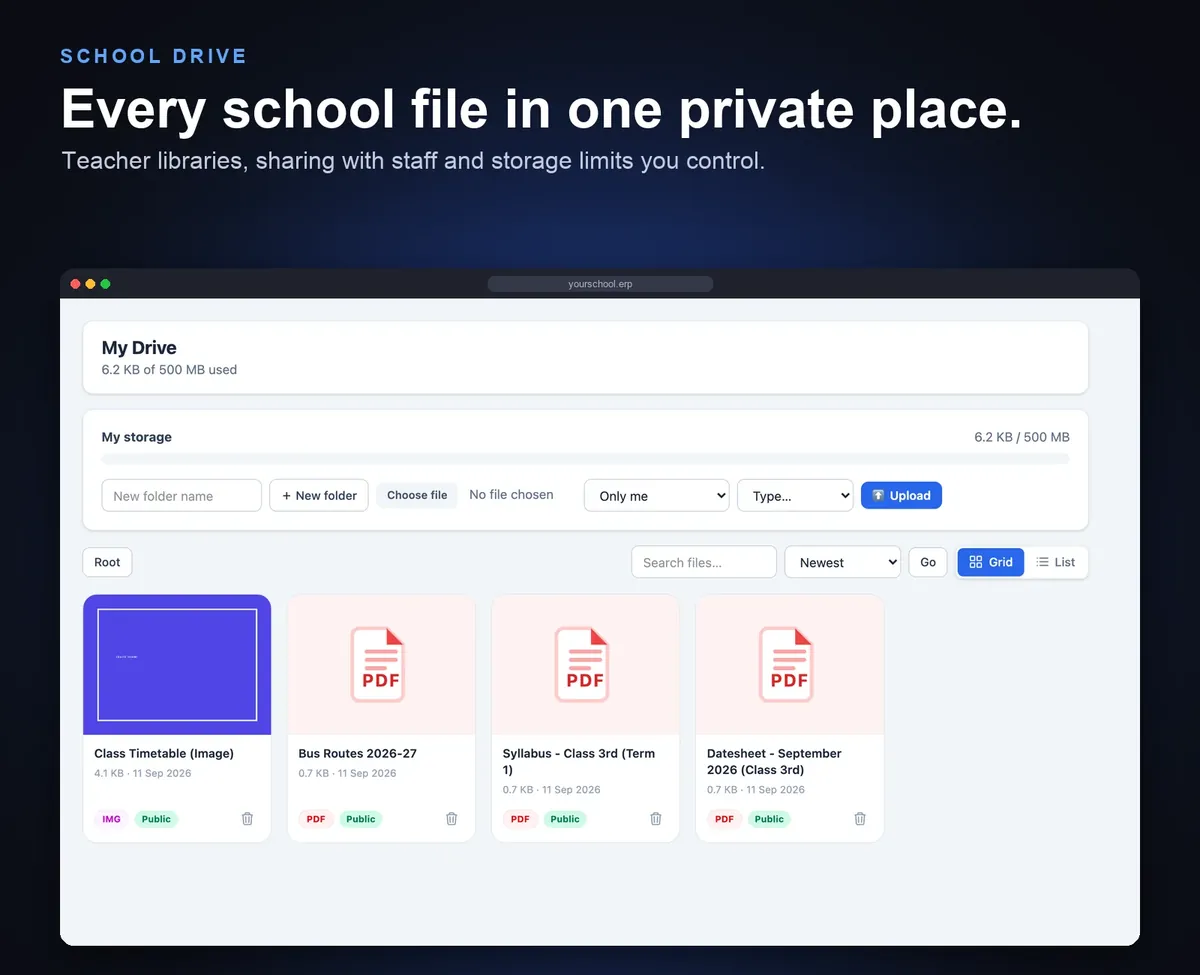
Lesson plans, syllabus, exam papers and circulars usually live on personal phones and pen drives. School Drive gives every school one organised, private place for them, with limits you control.
- Private by school: each school's files sit in its own folder. No school can see another's files.
- Teacher libraries: every teacher gets a personal folder and can share individual files with school staff.
- Storage limits you set: set a limit for the whole school, for a role such as teachers, or for one person. When it is full, upload stops with a clear message.
- Publish to parents: mark a file public and it appears in the parent app's Files tab, for all classes or one class.
- Preview in the browser: PDFs, images, video and text open without downloading.
- Your choice of storage: cloud storage (S3-compatible) or your own on-premise disk.
- Admin control: see total and remaining space and open any user's drive.
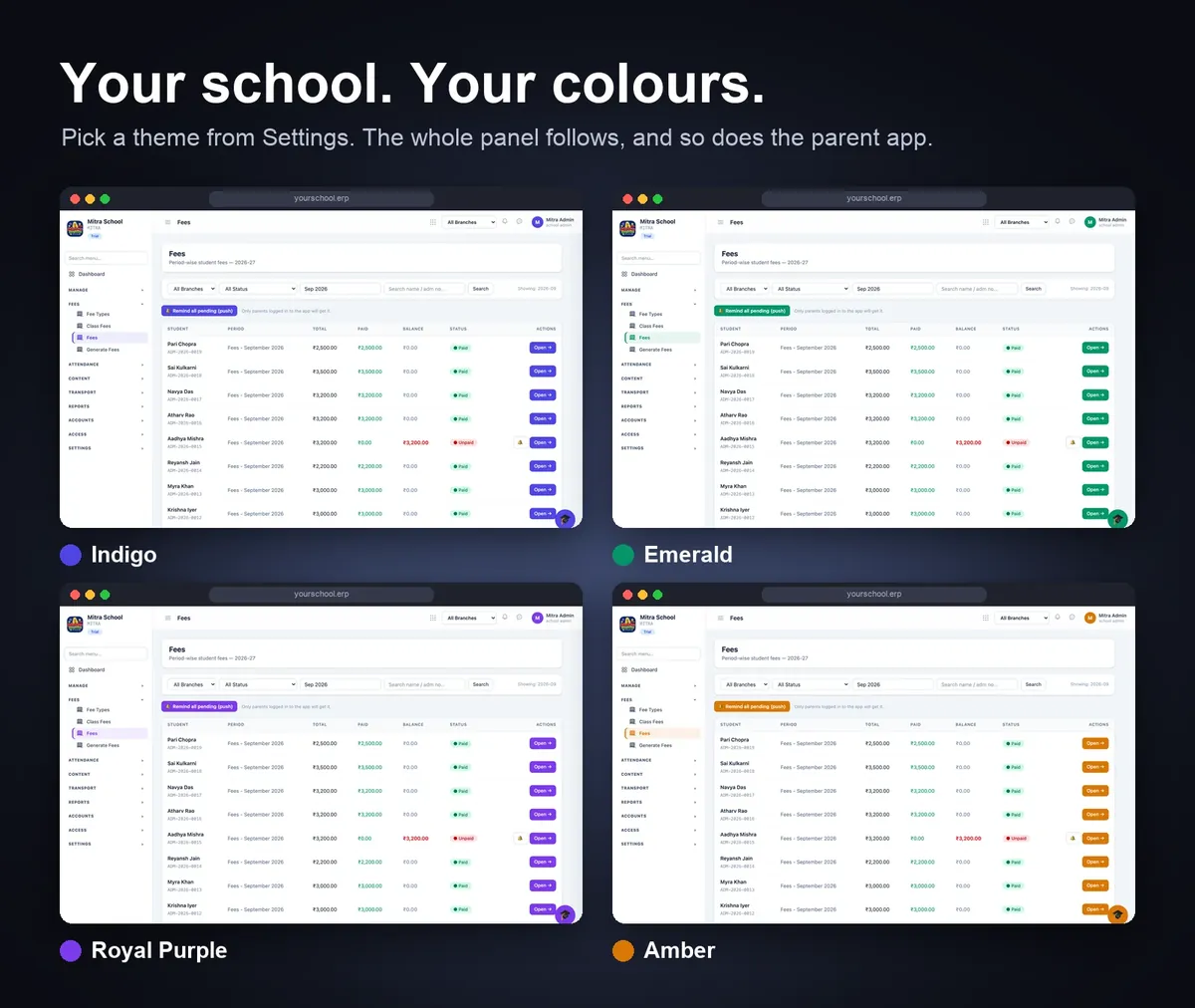
Your school's colours
The panel and the parent app follow your school's colours and logo, so it feels like your own school's system.
FAQs
How is live bus tracking free? It uses OpenStreetMap by default, so there is no Google Maps charge. If you prefer, you can add your own Google key.
Will our old data move into the system? Yes. Excel or register data is imported during setup, and staff training is included.
How long does it take to go live? Typically 2 to 4 weeks.
Where are our school's files stored? In your school's own private folder, on cloud storage (S3-compatible) or on your own on-premise disk. Other schools cannot see it.
Can teachers share files and can we limit storage? Yes. Each teacher has a personal library and can share files with staff. You set a storage limit for the school, for a role or for one person.
Can parents see files the school uploads? Yes. Files marked public appear in the parent app's Files tab, for all classes or for one class.
Serving schools across Punjab, Haryana & Chandigarh
Local demos, Punjabi parent app, and fee rules that match how your region actually collects fees. Pick your city:
See it on your data. Free demo at your campus — fees, attendance, bus tracking, parent app, sab live.